


MEKALUMI
A free, open virtual engineering lab for children: build machines, circuits and robots from virtual parts, run simulations and learn from the results, on modest phones and offline. In development.
- / Status
- In development · Not yet publicly released
- / Role
- An open educational initiative of a FORM/RUNTIME founder, not a commercial client project.
- / Website
- mekalumi.org

Overview
MEKALUMI is a free, open and modular virtual engineering lab for children, prepared for many languages. In an interactive 2D/3D lab, children design machines, circuits and robots from virtual parts, run engineering simulations and see calculated results. When something fails, they find out why and make it better. It is an open educational initiative of a FORM/RUNTIME founder, not a commercial client project, and it has its own website, mekalumi.org.
- 3D engineering and simulation
- Mechanics and kinematics
- Electronics and digital logic
- PCB design
- Robotics and automation
- Structures and materials
- Offline interactive learning
- Open educational ecosystem
Problem
Talent is everywhere, equipment is not. Robot kits, lab benches and fast computers are expensive, so a child's chance to practice engineering can depend on family income and on where they live. Many children learn on shared, low-cost Android phones with little mobile data and an unstable connection. And reading about a lever is not the same as moving its pivot and watching the load rise: practice turns formulas into understanding.
Strategy
Make the lab free, open and light enough for the devices children actually have. Replace physical equipment with virtual parts. Teach through the loop engineers repeat: imagine, build, simulate, discover, improve. Design for offline use and for many languages from the start. Let teachers be authors: they create lessons and pass them on as files, even without the internet. And stay honest about what works today, what is planned and what a simulation cannot show.
Design
Experiments come first and explanations follow. Eight connected areas of engineering each have their own experiments, because a robot needs mechanics, circuits, logic, a strong structure and control. Failure counts as data: if the bridge sags or the lamp stays dark, children change one thing, test again and explain why the new version works better. The website follows the same approach with a light, readable layout, small experiments that run in the browser and a clear note that its pictures are illustrations, not screenshots of the app.
Screens from mekalumi.org
Screenshots of the published MEKALUMI website, not of the application, which is still in development. Select one to enlarge it, then swipe or use the arrow keys to move between screens.
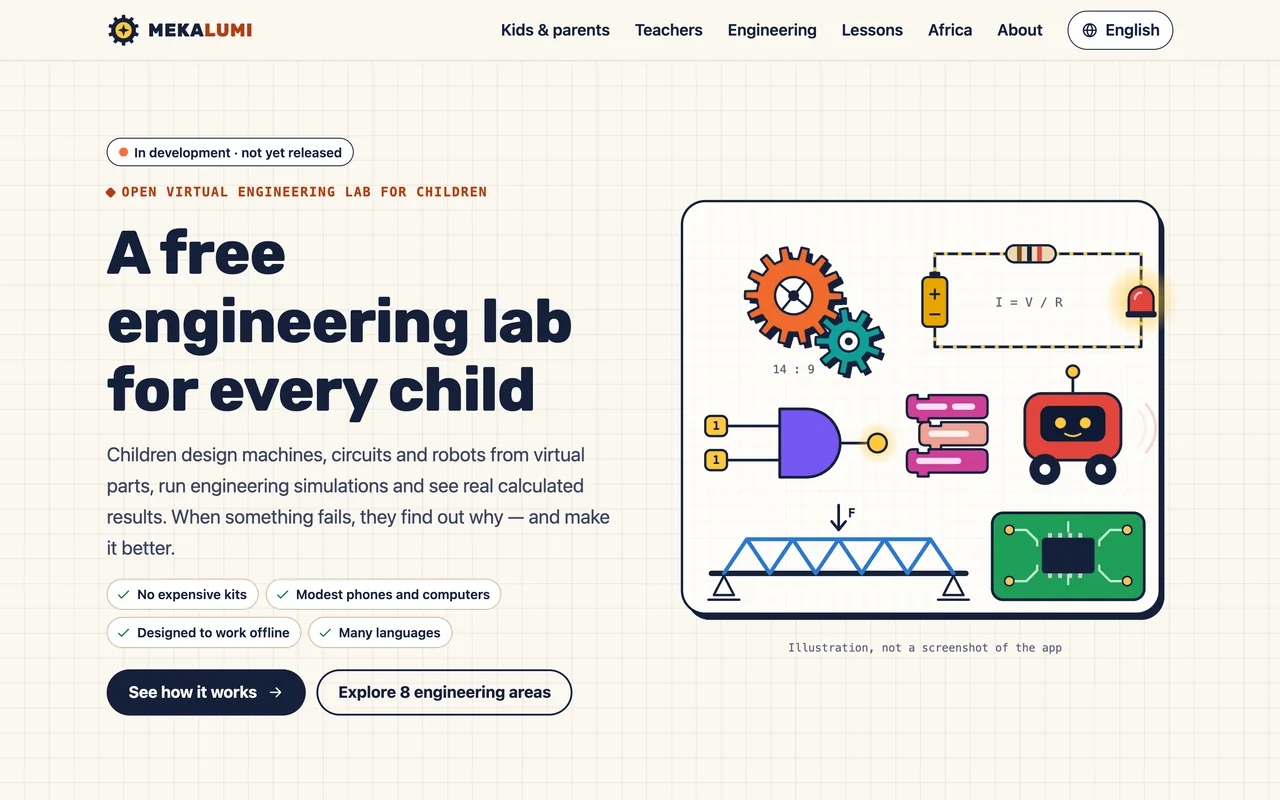
/ 01 Home page of mekalumi.org: status, headline and the site's own illustration, which it labels as an illustration, not a screenshot of the app.
/ 02 How it works: Imagine, Build, Simulate, Discover, Improve, with a footbridge as the example.
/ 03 The eight engineering areas, from mechanics to robotics, each with its own experiments.
/ 04 Mini lab: a gear train model that runs in the browser. The site says these are simplified teaching models, not the MEKALUMI simulation engines.
/ 05 Mini lab: an LED circuit model, with Ohm's law behind the current it shows.
/ 06 Mini lab: a logic gate model with its truth table.
/ 07 An engineering area page, Structures and materials: what children learn and example experiments.
/ 08 Status as published on the site: eight areas, 80 lessons, a 2D/3D lab and an Android version tested on an emulator.
/ 09 The home page on a phone 390 pixels wide.
Engineering
Eight simulation engines are implemented in the development build, and the lessons cover eight areas of engineering: mechanics, electrical circuits, kinematics, digital logic, PCB design, structures and materials, automation and robotics. Engineering calculations run on the device itself, not on a distant server. Each lesson is packed into one .mekapack file that can be copied by memory card, cable, Bluetooth or a school network. The Android version has been tested on an emulator with 2 GB of memory; testing on real low-memory phones is still ahead. The website is static and light, uses no cookies, analytics or trackers, and has pages in 49 languages, each marked with its real translation status.
Technology
/ 01 2D/3D interactive lab
Devices are built from virtual parts: gears, wires, beams, logic gates, sensors, motors and more.
/ 02 Simulation engines
Eight engines implemented in the development build, run locally on the phone or computer. They are simplified models, and each area page of the website says what its simulation simplifies.
/ 03 Lessons and .mekapack
80 lessons created and checked locally, covering all eight areas. A lesson is one .mekapack file that can be shared with or without the internet.
/ 04 Creator Studio
The tool in which teachers create lessons. It exists today and is still evolving.
/ 05 Android
A version for Android phones, tested on an emulator with 2 GB of memory.
/ 06 Website
A static, light website without accounts, ads, cookies, analytics or trackers, with pages in 49 languages.
Current result
Eight simulation engines implemented in the development build.
- 8simulation engines
- 80lessons created and checked locally
- 2D / 3Dinteractive lab
- Androidversion tested on a 2 GB emulator
- Creator Studio for teachers exists and is still evolving.
- MEKALUMI has not been publicly released yet, so there is nothing to download today.
- Work on real low-memory phones has not been confirmed yet.
/ Status as of October 25, 2026. Not yet publicly released.

Open educationalmission
To give every child the chance to learn engineering, create virtual devices and experiment, no matter where they live, how much their family earns or whether they have access to expensive equipment.
Free to learn
Learning should not depend on a family's income.
Open
Developed as an open educational project that schools, teachers and communities can use and add to. The licence model is not final.
Offline-friendly
Designed for places where internet access is slow, expensive or missing.
Modest devices
Designed for low-cost phones, not only for powerful computers.
Every language
Built for many languages and scripts from the start, with special attention to African languages.
Teachers as authors
Teachers will create lessons in Creator Studio and share them as files, so a good lesson can travel from one classroom to another.
Honest
Clear about what works today, what is planned and what a simulation cannot show.
Private by default
No accounts, ads or trackers on the website.
Planning an educational product or an open project?
Tell us what you are building. We will tell you plainly whether it fits our experience.